
Copy on one device.Paste on another.
ClipBridge shares a clipboard between Mac, Windows, Linux, iPhone and Android on the same Wi-Fi. No account, and nothing goes through a server.
Features
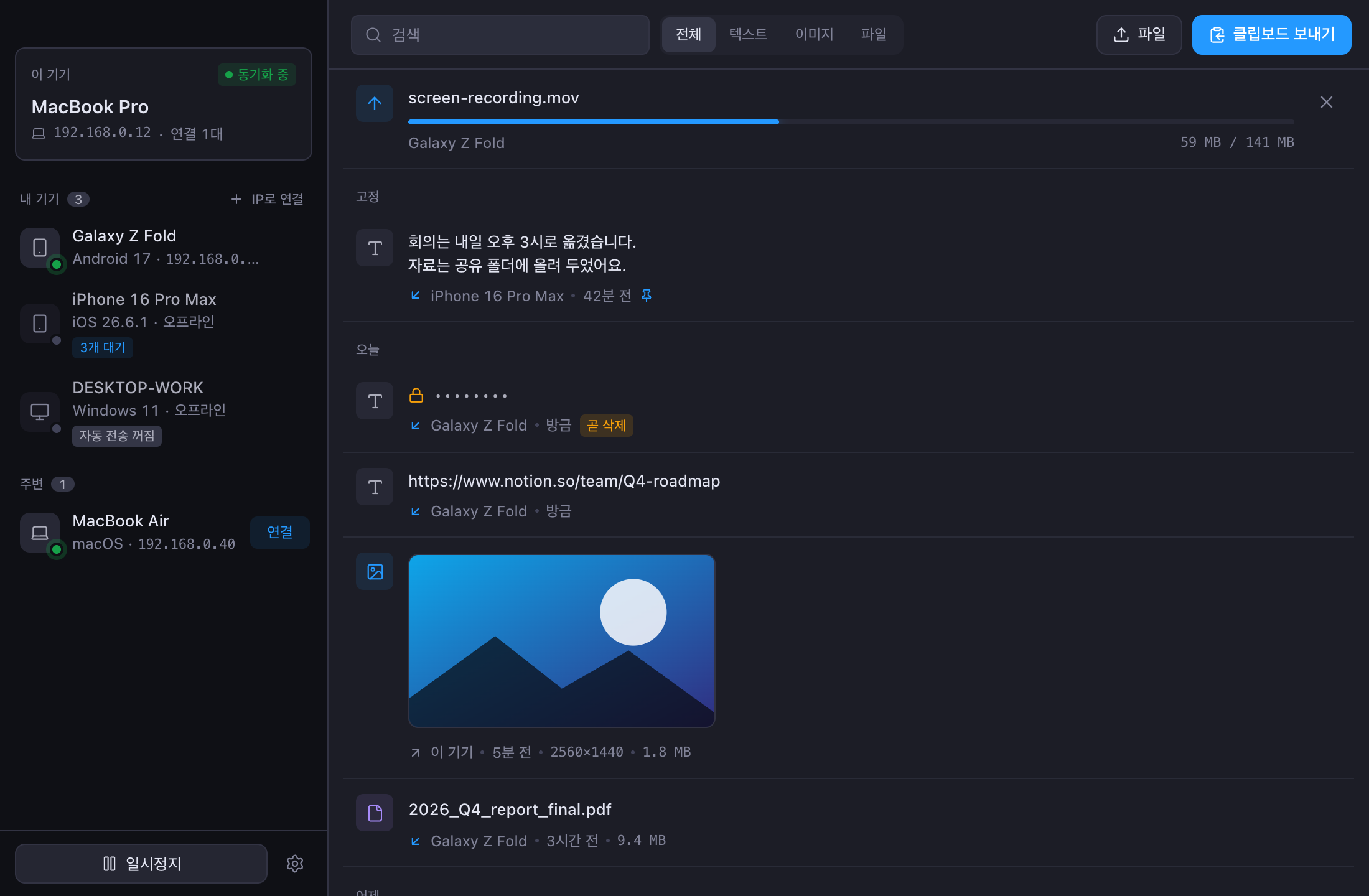
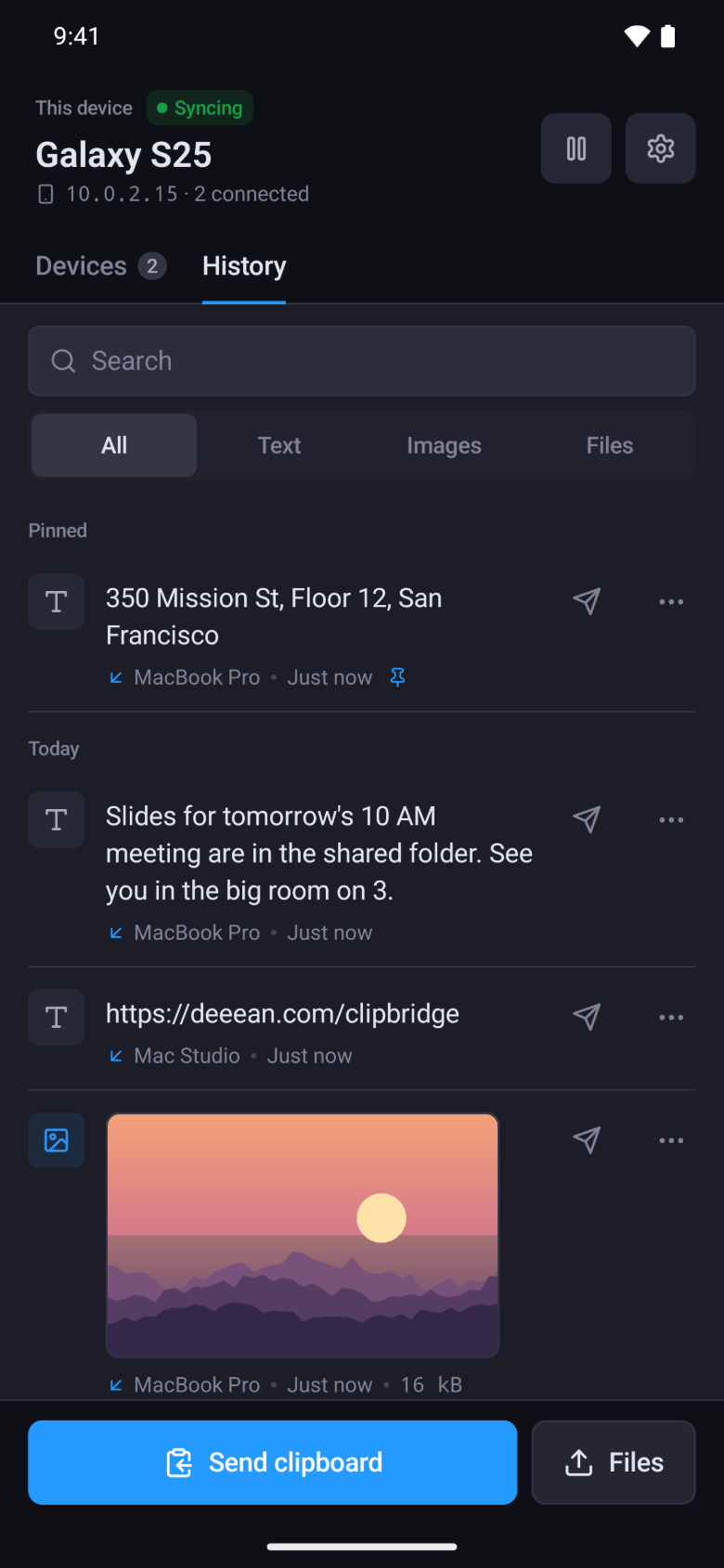
Text, images, files
Rich text keeps its formatting. Folders are sent as a zip.
Quick paste
Shift+Cmd+V (Ctrl+Shift+V on Windows) opens your recent clips. Pick one to paste it.
Pins
Pinned snippets stay at the top of your history and are pinned on your other devices too.
Offline devices
Anything copied while a device was off arrives when it comes back.
Sensitive content
One-time codes and passwords are cleared after a minute. Apps like password managers can be excluded.
Widgets
Send from the home screen on iPhone and Android, or from Control Center on iPhone.
No server in between
Clips go straight from one device to another on your Wi-Fi. When you pair two devices, you check that both screens show the same six digits, and everything after that is encrypted with the key they agreed on.
FAQ
Is it free?
The desktop apps are free. The mobile apps show a banner ad, which a one-time purchase removes.
Do the devices need the same Wi-Fi?
Yes. Devices on a VPN like Tailscale can connect by IP address.
How does iPhone receive clips?
While the app is open, clips go straight to the clipboard. Anything sent while it was closed arrives when you open it.
My devices can't see each other.
Office and cafe networks often block connections between devices. Connection diagnostics in Settings shows the cause.
The app won't open on Mac or Windows.
If macOS blocks the first launch, open System Settings > Privacy & Security and click Open Anyway. If Windows shows 'Windows protected your PC', click More info, then Run anyway.
What encryption does it use?
Devices agree on a key with ECDH P-256 when you pair them, and every clip after that is encrypted with AES-256-GCM. Keys are stored in Keychain, Keystore or Credential Manager.